Today’s business operations don’t stop just because of IT problems. Most companies are running on systems that are always on and always connected: email, cloud apps, internal networks, customer platforms, etc. So when something breaks, it’s often a small failure that ripples through the tools the business depends on.
That, of course, changes what IT support is supposed to do. IT support now has to maintain stability while employees constantly switch between cloud apps, office networks, laptops, phones and remote access. Even simple updates like installing new software or on-boarding a new hire can create new dependencies, risks and performance issues.
Managed IT is more than break/fix support
Reactive IT support is basically “fix it when it breaks.” That can be enough for a very small business with simple tech needs. That approach starts to fall apart once a company runs on its systems all day.
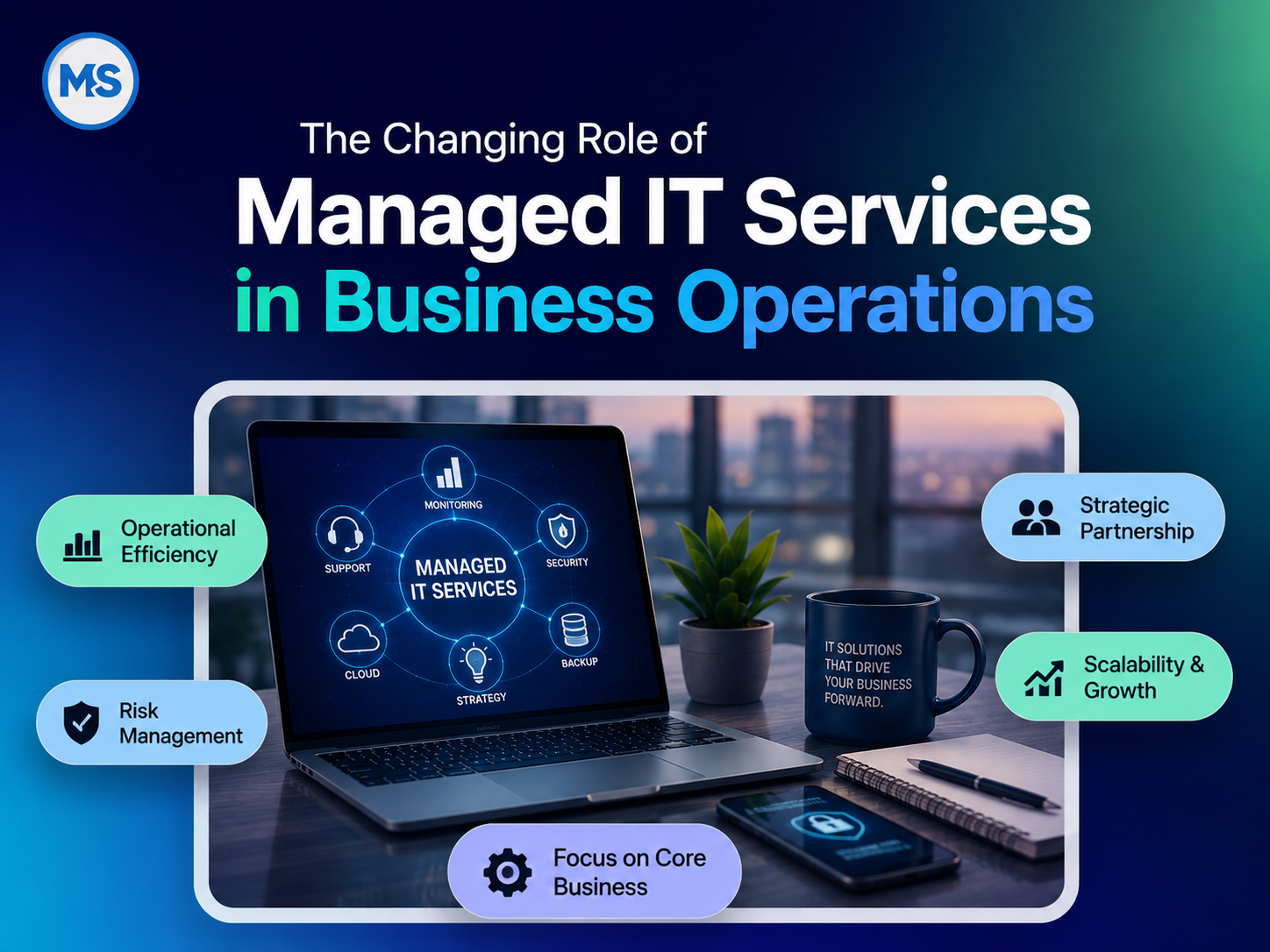
Managed IT is different and usually involves ongoing responsibilities like:
- Monitoring systems and networks
- Managing patches and updates
- Helping employees with devices and day-to-day problems
- Reviewing user accounts and access
- Writing and maintaining basic technical documentation
- Coordinating backups and recovery plans
- Investigating security alerts
- Planning infrastructure changes
- Coordinating with software vendors, internet providers and other tech partners when needed
The main change is timing. A managed IT provider is already looking for problems before they interrupt work instead of waiting for an employee to report a failure. MSI’s managed IT services in Irvine, CA work this way too, with system monitoring, patch management, security oversight and recovery planning all running in the background.
Technology management is part of daily operations
Hiring a new employee is a good example of how closely IT is tied into everyday business operations. A new hire needs a computer, email, software licenses, network access, shared files, cloud tools and sometimes remote access. The IT team must remove or transfer those accounts and permissions when that person leaves. So what looks like a simple HR process actually has an IT component at both ends.
Open a new office and suddenly you have to deal with networking and security. Add a new cloud app and you now have access control and user setup/support to think about. Launch an online service and you are also affecting hosting, backups and up-time.
Good IT support has to see all of this as connected. It can’t treat each request as if it exists in a vacuum. Someone needs to actually know what systems are critical, who’s using what, how everything ties together and who’s responsible when something fails.
Cybersecurity is now routine IT work
Cybersecurity is no longer something you can separate from everyday IT. Teams now have to treat cybersecurity as part of everyday system management.
An IT team can configure a firewall correctly today, but the firewall can become outdated a few months later. An employee account might have the right access when an admin creates it, but over time it can end up with far more permissions than it should. And a server can look like it’s running okay on the surface while a bad configuration or missing security setting is creating risk in the background.
Palo Alto Networks’ 2026 Unit 42 Global Incident Response Report found that misconfigurations or gaps in security coverage played a role in more than 90% of the incidents they investigated. The same report also showed that attackers can start scanning for newly disclosed vulnerabilities within 15 minutes of a new CVE going public.
That is the reality now. Security is not something you check once in a while and move on from. Configurations, software and user access change constantly and each change can introduce new risks.
So you end up needing ongoing work. Patching, account management, endpoint protection, network configuration, monitoring and actually testing recovery procedures. A managed IT provider helps by assigning clear responsibility for that work and identifying gaps before they create larger operational problems.
MSI connects managed IT with network management and security and virus removal. This is so security can be managed across devices, networks and infrastructure together. MSI’s security services include monitoring, threat response, patch management and recovery planning.
No managed service can guarantee that an attack will never happen. That is not realistic. The real goal is to reduce obvious weaknesses and make sure the team has a clear, tested response when something suspicious does happen.
Cloud services have actually created more management work
Cloud environments are getting harder to track as businesses keep adding more platforms, tools and services.
HashiCorp based its 2025 Cloud Complexity Report on input from more than 1,100 global IT leaders and found that 52% of organizations see cloud complexity as a top challenge. Companies are also using more than five different tools and services on average just to manage their cloud setups.
The thing a lot of businesses miss is that moving something to the cloud does not mean you stop managing it. You still have to deal with configurations, permissions, costs, security, integrations and performance. It only changes where the work happens.
Managed IT now includes helping businesses understand where systems actually run and how they connect. Some workloads may belong in public cloud services, while others are better off in private cloud VPS hosting or on dedicated infrastructure.
Infrastructure and IT support are becoming more connected
Most businesses today run a mix of cloud apps, physical servers, hosted websites and office networks all at once. All of those systems end up connecting whether you plan for it or not.
A failure does not always make the source of an issue obvious. A website problem could be the hosting provider, DNS, networking, the application itself or some third-party integration. A slow cloud app might not even be “the cloud” at all. It could just be a bad office internet connection. An outage may require coordination between the IT provider, internet carrier and software vendor.
Managed IT therefore also becomes a coordination function. Someone has to figure out what’s connected to what and get the right people talking instead of everyone pointing fingers.
Managed web hosting services can help businesses that rely heavily on web applications tie the website and support side together instead of splitting them across different vendors. Companies that own servers can also use a colocation data center in Irvine, CA, so they don’t have to keep critical equipment in an office.
MSI also runs its own Irvine data center. This lets MSI connect managed IT services with local hosting and infrastructure when needed. The facility includes redundant power and cooling, controlled access, monitoring, and carrier connectivity.
Not every business needs all of these services of course. The actual benefit is simply having the option to design everything as one connected environment instead of making separate decisions for each piece of infrastructure.
Business continuity needs clear ownership
Most businesses don’t really think about backups, redundancy or recovery plans when everything is running fine. It is one of those “we’ll deal with it later” things. The problem is, “later” is usually when something has already gone wrong. These plans suddenly become the most important thing in the company when systems go down.
Veeam’s Data Trust and Resilience Report 2026, based on responses from more than 900 senior IT, security and risk leaders, found that only 28% of organizations that had experienced ransomware fully recovered all affected data. The report also found that 44% recovered less than three-quarters of the affected data.
The point is not only about cyberattacks. Having backups doesn’t automatically mean you can recover when you need to. That gap is where many businesses get caught off guard.
Every business should be able to answer some basic questions without hesitation:
- Which systems are essential?
- How long can each system be unavailable?
- How much recent data can the business afford to lose?
- Has the team restored and tested the backups?
- Who makes decisions during an incident?
- Who calls the vendors and outside providers?
- What has to happen before normal operations can start again?
Managed IT helps take these questions out of people’s heads and turn them into documented steps, tested recovery plans and clear ownership when things go wrong.
Real accountability is key when several systems are involved
Technology providers can look similar when you compare service lists. You don’t really see the difference until something fails and things get complicated.
Multiple vendors tend to start pointing fingers when they share responsibility for the same environment. The hosting company says it’s the app, the software vendor says it’s the network and the network provider says it’s something else entirely. Meanwhile, the business still faces the same issue and has no answer yet.
A good managed IT partner will investigate the systems they manage, document what it finds and help coordinate the next step when another provider must become involved. This is especially important for a local business that depends on technology but doesn’t have a large internal IT team to sort through it all.
Millennium Systems Inc. works with businesses across Orange County and Southern California. MSI focuses on local support, direct access to real technicians and engineers and long-term accountability. MSI’s managed IT and support teams work from Irvine and clients work with the same people who get to know their environment over time.
Managed IT should help the business plan ahead
A growing company hires more people, adds new software, moves more things to the cloud, supports remote work, opens new locations or runs into new security requirements from customers. Each change can impact capacity, access, security, recovery and day-to-day support. Managed IT therefore includes technology planning as well as maintenance.
The provider does not need to make every business decision. But it should be able to clearly explain what those decisions will do from a technical standpoint so management can make the right call.
Work with MSI to make IT part of a stronger operation
Millennium Systems Inc. combines local managed IT support, networking, cybersecurity, hosting and data center infrastructure. The big difference when you work with us is that you are not dealing with a faceless help desk. You work with real engineers who know your setup and take ownership.
Schedule a consultation with MSI and we will go through your IT environment, the recurring issues you keep running into, any security gaps, cloud setup, infrastructure and recovery plans. We will help you figure out where a more proactive approach can make things run smoother and take some of the day-to-day stress off your team.
FAQs
What do managed IT services include?
Managed IT services are basically ongoing IT support plus proactive monitoring and maintenance. Managed IT services can include help desk support, patch management, network monitoring, security oversight, backup planning, device support and general technology planning. The service agreement clearly spells out who is responsible for what.
How are managed IT services different from regular IT support?
Regular IT support is usually the “something broke, please fix it” model. You call when a problem comes up and they step in after the fact. Managed IT is more hands-on and ongoing. It involves monitoring systems, doing maintenance, keeping documentation up to date and proper planning so problems are less likely to happen in the first place.
Can a business use managed IT alongside an internal IT employee?
Yes, absolutely. Managed IT does not have to replace your in-house IT person. Managed IT and in-house IT actually work better together in a lot of cases. A managed IT provider can handle things like system monitoring, user support, network management, cybersecurity and infrastructure upkeep. Your internal IT staff, meanwhile, can focus on responsibilities specific to your business. Think projects, internal tools, process improvements and anything that really needs someone on the inside.
How does managed IT support cybersecurity for a small business?
Managed IT usually supports cybersecurity by handling the day-to-day security concerns most small teams don’t have time to manage. That includes patching, system monitoring, account and access management, network security, endpoint protection, backup planning and incident response. The business still can’t hand off security completely. They still have responsibilities for how employees use their accounts, what policies are in place and who gets access to what systems.
Does moving to the cloud remove the need for managed IT?
No. Not really. Cloud services take some of the pressure off physical infrastructure, but you still have to deal with everything else: accounts, permissions, configurations, integrations, costs, security and backups. Things usually get more complicated once a company starts using multiple cloud platforms. You have to juggle different systems and providers and someone still has to keep it all organized and working together.
When should a business consider managed IT services?
A business should start thinking about managed IT when tech issues keep getting in the way of day-to-day work or when no one clearly owns updates, backups or security. Managed IT can also help when the company is growing and things are getting harder to track or when management is spending too much time juggling different IT vendors. Managed IT can also take pressure off an internal IT person or team handling more work than it can reasonably manage.
What is the difference between managed IT and break/fix IT support?
Managed IT is proactive and ongoing, involving monitoring, patch management, security oversight and recovery planning, while break/fix IT is reactive, addressing problems only after they occur.
How does managed IT handle cybersecurity as part of daily operations?
Cybersecurity becomes routine IT work through continual patching, account and access management, endpoint protection, network security, monitoring and tested recovery procedures, rather than a one‑off check.
How can an internal IT team work with a managed IT provider?
Managed IT can handle monitoring, network management, cybersecurity and upkeep, while in‑house staff focus on projects, internal tools and processes, creating a collaborative approach rather than a replacement for internal IT.
What ownership and planning are involved in business continuity with managed IT?
Managed IT documents responsibilities, creates tested recovery plans, defines critical systems, recovery time objectives, data loss tolerance and decision makers, and coordinates with vendors to ensure rapid restoration.
Can cloud services increase IT management workload and how does managed IT address this?
Yes, cloud often adds configurations, permissions, costs and integrations to manage; managed IT helps by clarifying where systems run, coordinating changes across cloud and on‑premises, and maintaining a connected environment.

 September 18, 2026